
Top Intelligent Manufacturing Systems for Global Buyers
Factories are under pressure to produce more consistently while managing labor, energy, and supply-chain constraints. Intelligent manufacturing systems connect equipment, production software, sensors, and people to support faster decisions on the factory floor. A line supervisor might use a live dashboard to spot a machine’s rising temperature before it causes an unplanned stop. That detail matters.
For global buyers, choosing a system is not just a software comparison. The right fit depends on existing machines, data quality, cybersecurity practices, local support, and the skills of the workforce. Buyers should examine how a platform integrates with current equipment, handles data access, and scales across sites. Ask vendors for demonstrations using realistic production scenarios, not only polished slides. Check implementation timelines, training plans, service coverage, and the full cost of ownership. These details often reveal more than a feature list.
This guide compares leading intelligent manufacturing systems through practical criteria, including interoperability, analytics, automation support, and deployment options. It also considers how suppliers differ in industry focus and global service capabilities. No platform is best for every factory. A solution that works well in a new facility may be difficult to fit into an older plant. Some evaluation criteria are imperfect, too; a strong score cannot replace a hands-on trial. Use the comparisons as a starting point, then verify claims with references and a focused pilot.
What Intelligent Manufacturing Systems Are
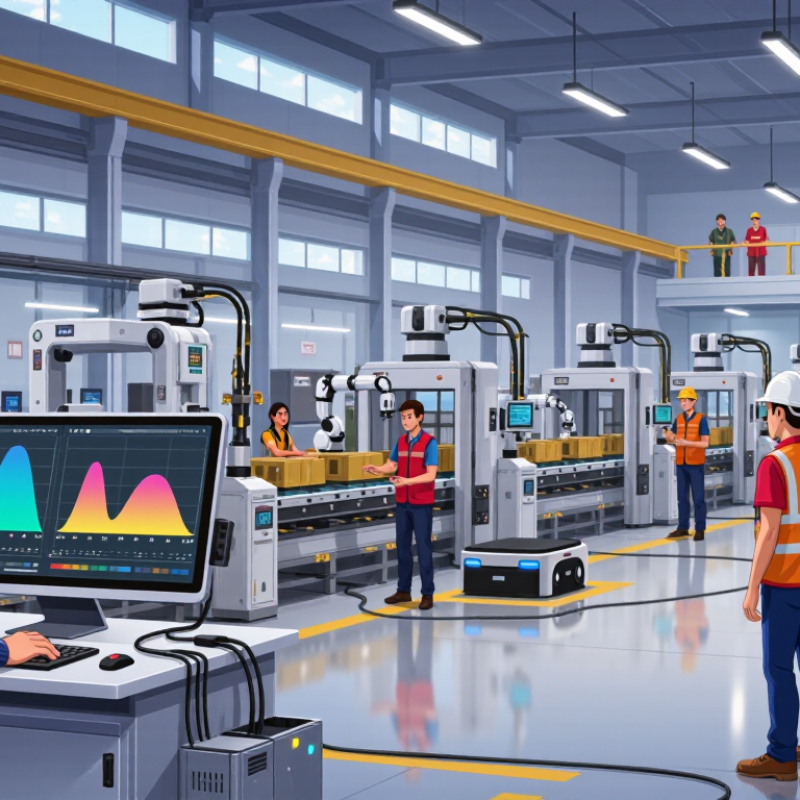
An intelligent manufacturing system connects machines, people, and production data so a factory can respond to changing conditions. It may combine sensors, programmable controls, manufacturing execution software, quality records, and planning tools. A temperature probe on an oven, for example, can flag drift before a batch leaves the line. Operators can see the alert on a workstation and adjust settings using approved procedures. The system also stores the event, creating a traceable record for maintenance and process review. That matters.
Unlike a simple automated cell, an intelligent system uses current data to support decisions across connected processes. Some systems recommend actions; others make bounded adjustments, such as slowing a conveyor when inspection detects defects. Human oversight remains important, especially when specifications, safety limits, or unusual material behavior are involved. Reliable results depend on clean data, calibrated instruments, clear access controls, and integration with older equipment. These details are often underestimated. A dashboard can look polished while showing delayed or incomplete readings. Buyers should ask how data is validated, who can change recipes, and what happens during a network outage. There is no universal setup. A system that fits one plant may burden another with extra alerts, training needs, or maintenance work. This is worth questioning.
| System type | What it does | Typical data inputs | Common operational outputs | Typical integrations | Best suited to |
|---|---|---|---|---|---|
| Manufacturing Execution System (MES) | Tracks and coordinates production activities on the shop floor, from work-order release through completion. | Work orders, material consumption, operator entries, equipment status, production counts, and timestamps. | Production progress, electronic work instructions, traceability records, and reports on downtime and throughput. | Enterprise resource planning (ERP), programmable logic controllers (PLCs), supervisory control systems, and quality systems. | Factories needing real-time visibility, production traceability, or more consistent execution of work orders. |
| Advanced Planning and Scheduling (APS) | Creates or adjusts production schedules using constraints such as capacity, materials, priorities, and due dates. | Orders, routings, available capacity, labor calendars, inventory, setup times, and delivery requirements. | Sequenced schedules, capacity plans, material requirements, and scenario comparisons. | ERP, MES, inventory management, and supply-chain planning systems. | Manufacturers managing constrained capacity, changing demand, or complex production sequences. |
| Industrial Automation and SCADA | Monitors and controls industrial processes and equipment through control devices and operator interfaces. | Sensor readings, machine states, alarms, setpoints, and process measurements. | Operator displays, alarm notifications, control actions, and time-stamped process data. | PLCs, distributed control systems, historians, MES, and industrial networks. | Production environments that require process control, equipment monitoring, or centralized operational supervision. |
| Industrial Internet of Things (IIoT) Platform | Connects industrial assets and collects, organizes, and analyzes machine or process data across operations. | Equipment telemetry, sensor signals, production events, environmental readings, and maintenance records. | Dashboards, alerts, equipment utilization views, and data feeds for analytics or applications. | Industrial gateways, control systems, MES, cloud or edge computing, and analytics tools. | Organizations seeking to connect equipment across lines, sites, or locations for broader data visibility. |
| Quality Management System (QMS) | Manages quality processes, including inspections, nonconformances, corrective actions, and controlled documents. | Inspection results, specifications, complaints, audit findings, deviations, and supplier quality records. | Quality alerts, inspection plans, corrective-action workflows, audit trails, and defect analysis. | MES, ERP, laboratory information systems, product lifecycle management, and supplier portals. | Manufacturers that need consistent quality workflows, documented controls, or product and process records. |
| Computerized Maintenance Management System (CMMS) | Organizes asset maintenance, work orders, preventive tasks, spare parts, and maintenance histories. | Asset registers, service requests, failure records, maintenance schedules, and parts inventory. | Maintenance work orders, preventive-maintenance plans, asset histories, and maintenance workload reports. | ERP, inventory systems, IIoT platforms, and equipment monitoring systems. | Facilities aiming to structure maintenance work and improve visibility into asset service history. |
| Warehouse Management System (WMS) | Controls warehouse processes for receiving, storage, picking, packing, and shipping materials or finished goods. | Purchase orders, inventory records, item identifiers, locations, shipment details, and scan events. | Put-away and picking tasks, stock status, shipment records, and inventory movement history. | ERP, manufacturing systems, barcode or radio-frequency identification (RFID) devices, and transport systems. | Manufacturers coordinating production materials, warehouse inventory, and outbound orders. |
| Digital Twin and Simulation System | Uses digital models to represent products, equipment, processes, or facilities for analysis and simulation. | Design data, equipment parameters, process rules, operational history, and sensor measurements. | Simulated scenarios, process visualizations, design validation, and analysis of potential operating changes. | Computer-aided design, product lifecycle management, MES, IIoT platforms, and engineering tools. | Teams evaluating process layouts, product designs, or operating scenarios before making physical changes. |
These system categories can overlap and are often integrated. The appropriate combination depends on production processes, data requirements, existing infrastructure, and operational goals.
Related Posts
-
7 Best Smart Manufacturing Systems for Global Buyers
-
7 Tips for Choosing Smart Manufacturing Systems
-
How to Leverage Advanced Manufacturing Technology for Global Sourcing?
-
7 Best Industrial Robotics Integration Companies in 2026?
-

Top 10 Automation System Design Trends in China You Should Know?
-
Why Choose Industrial Digitalization Systems?