


What Are 10 Process Automation Technology Tips for Buyers?

Choosing process automation technology means matching tools to work that repeatedly slows people down. A packaging line may need reliable sensor data and quick fault alerts; an office team may need approvals routed without losing an audit trail. Different work, different risks. Buyers should map the current process before watching polished demos. Record handoffs, waiting times, error rates, and exceptions. Then test whether a proposed system handles messy cases as well as ideal workflows. This exercise can reveal hidden requirements, including legacy connections, operator training, and support during outages. It is not glamorous. It matters.

The ten tips in this guide focus on decisions buyers can verify: defining measurable goals, checking integrations, comparing deployment and licensing costs, testing usability, and reviewing security, scalability, vendor support, and exit options. Ask vendors to demonstrate a real task with representative data, not just a scripted success. Request references from organizations with similar workflows. Confirm what implementation, upgrades, and support actually include. No tool removes every exception. Automation can even make a poor process faster, which is still a poor result. A careful shortlist should weigh evidence, ownership, and adaptability—not promises alone. Use these questions to select technology that fits current needs while leaving room to revise assumptions as operations change.
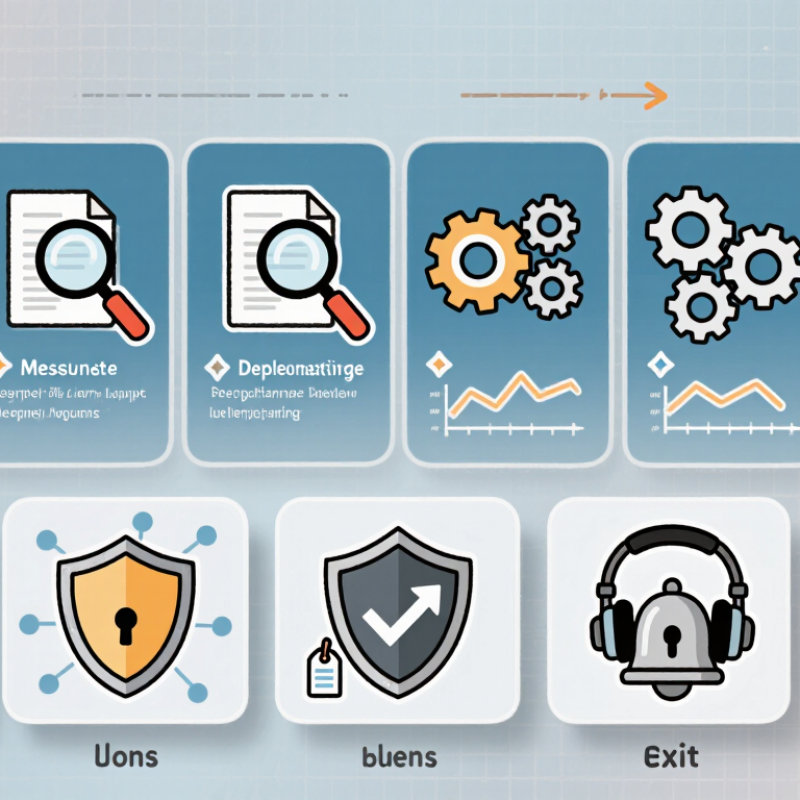
What Are 10 Process Automation Technology Tips for Buyers?

Define Automation Goals and Identify High-Value Processes

Before comparing automation tools, define what “better” means for the team. A goal such as “save time” is too vague to guide a purchase. Name a measurable outcome: reduce invoice handling from two days to four hours, or cut re-entry errors by 30 percent. Set a baseline using recent work logs, not a hopeful estimate. Small details matter. Count exceptions, handoffs, and waiting time, not only task clicks. If approvals sit untouched overnight, software alone may not fix the delay.

Look for processes that happen often, follow clear rules, and consume visible staff hours. For example, map how a service request moves from an online form to assignment, review, and closure. Note where employees copy details between screens or chase missing information. Those steps may offer more value than automating a rare, complex decision. Ask the people doing the work where delays actually occur; a manager’s process map can miss the awkward workarounds. The first estimate is often wrong. Test the proposed workflow on a small batch, then compare completion time, error rates, and exception volume with the baseline. If unusual cases still need careful judgment, keep a human review step rather than forcing every request through the same path.

Map Workflows and Set Requirements for Automation

Before comparing automation tools, trace one real process from trigger to finished result. Sit with the people who do the work, not only managers. Note each handoff, system, approval, and delay. A returned invoice, for example, may travel from email to a shared queue, then back for missing tax details. Small detours matter. They often become automation’s biggest failure points.

Map the current workflow, not the ideal one. Record normal steps and exceptions, including who can resolve them and what information they need. Use a simple swimlane diagram or table; dates and decision rules make it testable. Ask staff to review it against recent cases. Their corrections may be uncomfortable. That is useful. A tidy diagram that omits rework can produce a fast, consistently wrong process.

Turn the map into requirements before evaluating products. Define the trigger, required data, access roles, approval limits, error alerts, audit records, and expected completion time. Separate must-haves from preferences, and identify integrations that need testing. Set a baseline, such as current handling time and returned-item rate, so results can be compared after launch. Leave room for revision. Early estimates are guesses; revisit them after a small pilot, especially when edge cases appear.

What Are 10 Process Automation Technology Tips for Buyers? — Map Workflows and Set Requirements for Automation
# Buyer Tip What to Map or Define Requirement to Set How to Validate
1 Map the current workflow before selecting a tool Document each step, handoff, decision, input, output, and exception in the process as it works today. Require a workflow map that includes process owners, participating roles, systems, and known variations. Review the map with people who perform the work and confirm that routine and exception paths are represented.
2 Choose a process with clear automation potential Estimate task frequency, handling time, repeatability, error sources, and the amount of human judgment required. Prioritize processes with stable rules, sufficient volume, and a measurable business outcome. Compare candidate processes using the same criteria and document why the selected process is suitable for a pilot.
3 Establish a baseline before setting targets Record current cycle time, processing effort, backlog, rework, error rate, and service-level performance where available. Set improvement targets against measured baseline data rather than assuming a standard percentage reduction. Check that the baseline covers a representative period and uses consistent definitions and data sources.
4 Specify inputs, outputs, and data quality rules List required fields, data formats, validation rules, source systems, and what happens when information is missing or invalid. Define acceptable data conditions and clear responses for incomplete, inconsistent, or duplicate records. Test with valid, invalid, incomplete, and duplicate sample records before deployment.
5 Make decisions and exceptions explicit Identify decision points, approval thresholds, escalation routes, and cases that need human review. Require configurable rules and a documented path for exceptions, overrides, and approvals. Walk through representative edge cases and confirm that each reaches the intended person or outcome.
6 Check integration requirements early Inventory the applications, databases, interfaces, credentials, and data exchanges the workflow depends on. Document supported integration methods, required permissions, data ownership, and expected connection behavior. Run a proof of concept using non-production access and representative data, including a connection-failure test.
7 Include security, privacy, and audit needs Classify process data and identify who can view, change, approve, and administer each part of the workflow. Define access controls, audit records, retention requirements, and handling rules in line with applicable policies. Have the appropriate security and privacy reviewers assess permissions, logs, and data handling before launch.
8 Plan for failures and recovery Map likely failures such as unavailable systems, rejected transactions, timeouts, and incorrect processing. Specify alerts, retry behavior, recovery ownership, and safeguards against duplicate or incomplete actions. Simulate failures and verify that work can be identified, corrected, and resumed with an adequate audit trail.
9 Evaluate usability and ongoing ownership Identify the people who will monitor, update, support, and use the automated workflow. Require clear administration controls, understandable status information, and documented ownership for rule changes. Ask intended users and administrators to complete realistic tasks and provide feedback during a pilot.
10 Use a pilot and define success measures Select a limited scope, representative cases, a test period, and the teams involved in the pilot. Agree on measurable success criteria, such as cycle time, error rate, completion rate, and user effort, before testing. Compare pilot results with the baseline, review exceptions and user feedback, and decide whether to revise, expand, or stop.

Compare Automation Technologies, Integration, and Scalability

Choose technology around the work, not the sales demo. Rule-based, repetitive tasks may suit robotic process automation; processes spanning teams often need workflow tools. For changing documents, test intelligent extraction against real samples, including faint scans and awkward layouts. Small tests matter. Compare integration methods, too: direct APIs, prebuilt connectors, and file transfers differ in reliability and upkeep. Ask how each handles failed connections, duplicate records, and system updates.

Check the seams. Map every handoff and identify who owns each data field before buying. McKinsey Global Institute’s 2017 report estimated that about 60% of occupations have at least 30% of activities that could technically be automated. That is potential, not a promise of savings. The World Economic Forum’s Future of Jobs Report 2023 found that 75% of surveyed companies expected to adopt AI within five years. Buyers should still test whether a tool fits their actual process, rather than chase adoption targets.

For scale, model peak volume, concurrent users, and exception rates—not just average daily tasks. Request a pilot with realistic workloads, then measure processing time, error rates, and human review hours. Check whether workflows can be reused across departments without copying fragile custom scripts. Review permissions, audit logs, and monitoring before expanding. Ask how fees change as usage grows, and who maintains integrations after updates. One overlooked queue can stall the whole flow. I’d also challenge the assumption that every manual step is waste; some exceptions deserve human judgment.

Assess Security, Vendor Support, and Total Cost of Ownership

Automation can reduce repetitive work, but a weak security plan or unclear contract can erase expected savings. IBM’s 2024 Cost of a Data Breach Report put the global average breach cost at US$4.88 million. Treat access controls, encryption, audit logs, and data handling as buying criteria, not later upgrades. Ask vendors how they patch vulnerabilities and notify customers of incidents. Small omissions matter.

Tips: 1) Map sensitive data before demos. 2) Require role-based access and usable audit trails. 3) Test backup and recovery procedures. 4) Check support hours, response targets, and escalation paths. 5) Ask who handles upgrades and failed workflows. Put answers in writing.

6) Price setup, integrations, training, and ongoing maintenance. 7) Model usage fees against realistic transaction volumes. 8) Confirm export options and exit costs. 9) Compare support tiers against your actual operating hours. 10) Pilot a real workflow, including exceptions and human review. Flexera’s 2024 State of the Cloud report found respondents estimated 27% of cloud spending was wasted. That is not a forecast for every automation purchase, but it is a useful warning: unused capacity and overlooked fees add up. One imperfect spreadsheet will not capture every cost; revisit assumptions after the pilot.

Plan a Pilot, Measure Results, and Expand Automation in Stages

Process automation works best when buyers start with a measurable bottleneck, not a sweeping transformation promise. Map one repeatable workflow, such as invoice approval, and record its current cycle time, error rate, and manual handoffs. A 2017 McKinsey Global Institute analysis estimated that about half of work activities could be automated using demonstrated technologies, while fewer than 5% of occupations could be fully automated. The practical lesson: target tasks, not entire jobs.

Tips: Choose a pilot with stable rules and accessible data. Set a clear baseline, then track processing time, exceptions, rework, and staff effort. Give the pilot a small, cross-functional team and a defined review date. Keep it narrow. The first workflow may not be the best one; that is useful to learn. Document edge cases, such as missing fields or duplicate requests, before expanding.

After the pilot, compare results with the baseline and include setup, maintenance, and training costs. If errors fall but exception handling rises, investigate before scaling. Expand in stages: add a related workflow, test it under real operating conditions, and review performance with the people who use it. Keep a rollback plan and an owner for each process. Early gains can be uneven, so avoid treating one successful week as proof that automation is ready everywhere.

10 Process Automation Technology Tips for Buyers

Plan a pilot, measure results, and expand automation in stages.

Use these illustrative planning targets to phase implementation: start with a limited pilot, validate performance and exception handling, then expand gradually. The percentages are example targets—not measured industry results. Track actual automation coverage, processing time, error rates, and exceptions during your pilot.